How to get synced lyrics for your own music files on an iPhone
Every lyrics app answers by looking the song up. That works for a chart single and fails for a rip, a live set or a demo — which is most of what people who own their music actually play. Here are the three ways to get time-synced words onto your own files, in the order worth trying them.

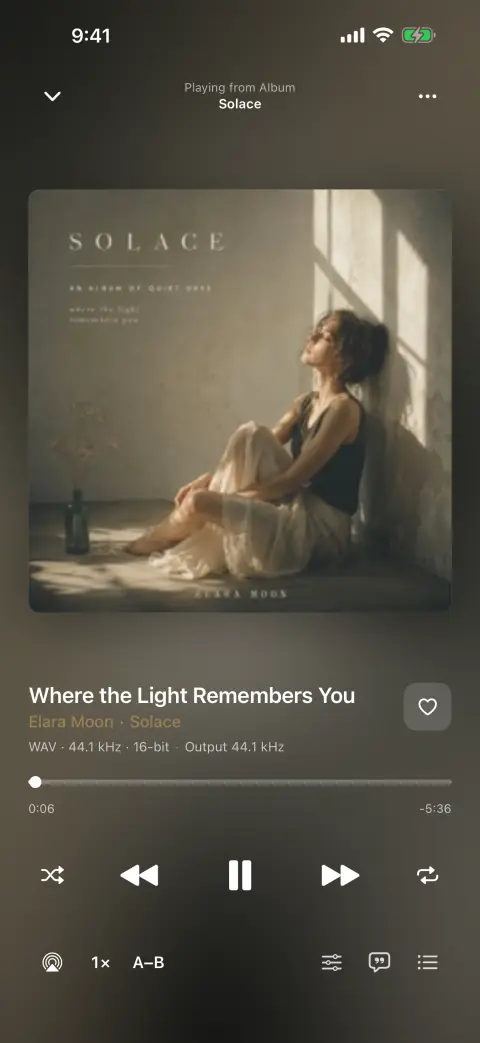
Why your own songs have no words
Lyrics on a phone almost always come from a database. The player sends the artist and title somewhere, gets back a block of text with timestamps, and shows it. When the record is a well-known single that is fine. When it is a bootleg, a self-released album, a regional pressing, a demo an artist e-mailed you, or a rip whose tags say “Track 04”, the lookup comes back empty and there is nothing else the app knows how to try.
The second reason is smaller and more annoying: the words are often already there and nobody reads them. An .lrc file next to the album, or a lyrics frame written into the tag years ago by a desktop tool — plenty of libraries carry both, and most iPhone players ignore both, because the feature was built as a lookup rather than as a way of reading a file.
So a player that owns the problem has to do three things: read the .lrc you have, read the lyrics already inside the tags, and — when there are neither — work the words out from the audio itself. bMusic does all three, and the third one is the part no lookup can do.
Step by step
Getting words onto a song you own
- 01
Bring the song in as usual
Wi-Fi transfer, AirDrop, the Files app, a direct link or your own WebDAV server. Nothing about lyrics changes how a file arrives, and nothing about the file is altered on the way in: MP3, AAC, M4A, ALAC, FLAC, OPUS, WAV, AIFF all import as they are.
- 02
Let bMusic read what is already there
Open the song and ask for lyrics. If the file carries them in its tags, or an .lrc of the same name came across with it, they are already on screen — including the timestamped kind that follows line by line. You can also paste an .lrc straight in.
- 03
If there are none, have the phone listen to the song
Transcribe writes the words down from the audio itself, on the device, with the timings worked out as it goes. The first time you ask, a speech model is downloaded once — that is the only part that needs a connection, and it is resumable if the network drops. After that the feature works on a plane.
- 04
Correct the lines it got wrong
A transcription is a first draft. The line editor lets you fix a word, nudge a timestamp and hear the result against the song, so the version you keep is the version you wanted rather than whatever the model heard through the cymbals.
- 05
Keep them, and take them with you
Lyrics live with the song and sync through your own iCloud, so a correction made on the phone is on the Mac as well. They can be exported back out as an .lrc, which is the format everything else reads.
A device that cannot run the model does not get a greyed-out button — the entry point is simply not offered, rather than promising something that would never finish.
What this gets you that a lookup does not
- It works on records nobody catalogued
- A live recording, a demo, a self-released album, a regional pressing: the transcription reads the audio, so it does not care whether anybody else has ever indexed the song.
- The audio never leaves the phone
- The model runs on the device. Nothing about the recording is uploaded to be matched, which is the difference between a private library and a search query.
- The words follow the song
- Timings come out of the transcription, so the line highlights as it is sung and tapping a line jumps the song to it — on the iPhone and in the Mac app’s floating lyrics window.
- What you already have still counts
- An .lrc file and a lyrics tag are read first. Nothing is re-derived that you have already collected, and anything bMusic writes can go back out as an .lrc.
FAQ
Lyrics for your own music: the usual questions
Does it send my music to a server to find the lyrics?
How accurate is it?
How long does one song take?
Can I use .lrc files I already have?
Do the lyrics show up on the Mac?
Other guides
Play FLAC on an iPhone
The iPhone decodes FLAC and always has. Getting a FLAC file onto it is the part Apple never made easy.
Read the guideMove a library off Android
Switch to iOS moves your photos and messages. The folder of music files is the part it leaves behind.
Read the guidePut a ripped CD on an iPhone
You ripped it losslessly on purpose. Getting it onto the phone should not undo that.
Read the guideWhen streaming takes a song away
The album is greyed out and the playlist has a hole in it. Owning the file is the only fix that lasts.
Read the guideYour own music in the car
A tunnel, a data cap or a rural road, and the streaming app stalls. Files on the phone never do.
Read the guideKaraoke and practising a part
Take the voice out, move the key, loop the bar you keep missing and slow it down — on a song you own, on the phone.
Read the guideBring your own music
Every part of bMusic works for 15 days from the day you install it, with nothing held back. Send one album across and hear it on your own headphones.
iPhone, iPad and Mac · iOS 18.0 or later · MP3, AAC, M4A, ALAC, FLAC, OPUS, WAV, AIFF